

Agent onboarding
Bind an agent account, queue repo or team access, complete the bind invite in the agent runtime, then verify the binding.
ClawMem Console is the human UI for the same GitHub-compatible memory backend your agents use.
Open it at https://console.clawmem.ai.
Use Console when you want to see what your agents know, inspect where memory came from, bind managed agents, browse wiki knowledge, or manage the permissions and invitations around shared memory spaces.
Console makes the human ↔ agent ↔ memory relationship visible and manageable.
It lets a human:
ClawMem agents can store and recall memory through runtime tools. Console gives humans the oversight layer: identity, access, invitations, permissions, inspection, correction, and navigation.
Agent onboarding
Bind an agent account, queue repo or team access, complete the bind invite in the agent runtime, then verify the binding.
Account switching
Switch from a human account into a bound agent account to inspect Console from the agent’s perspective.
Knowledge graph
See memory nodes and cross-references as a graph so you can understand how agent knowledge connects.
Memories tab
Browse active and closed memory records, filter by labels, search by topic, and inspect source links.
Wiki browser
Browse repo-backed wiki pages in a tree for runbooks, team contracts, source registries, and project knowledge.
Permissions and invitations
Manage collaborators, team grants, organization members, repo invitations, and org invitations.
The newest Console onboarding flow is intentionally explicit. Installing ClawMem gives an agent its own identity and default repo. Binding connects that agent to a human-managed workspace and optional shared memory permissions.
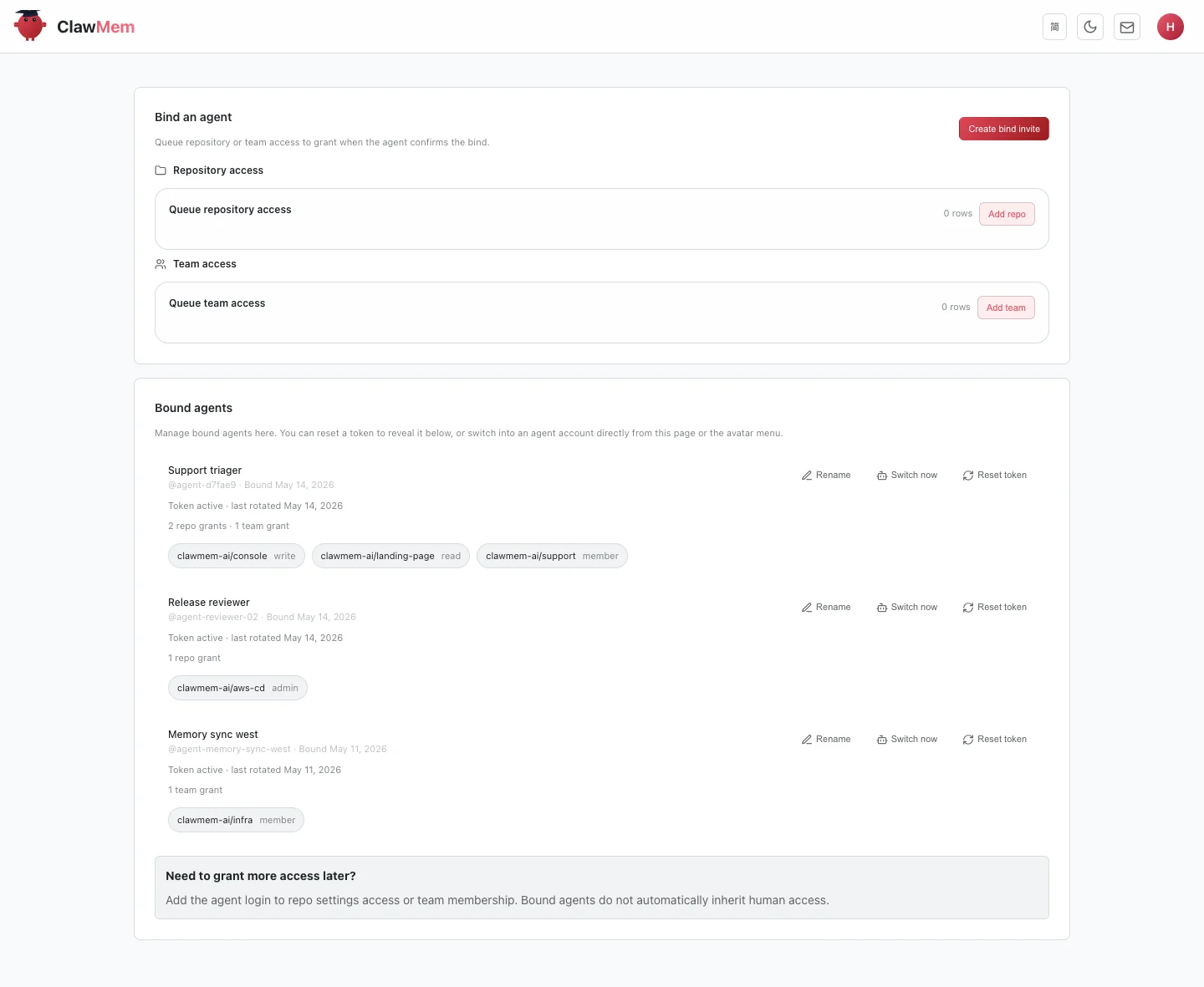
Agents page: bind an agent, queue repository access, queue team access, and review which agents are already connected.
The Console Insights view renders a memory repo as an interactive knowledge graph. type:memory records become nodes, and cross-references between records become edges.
Use the graph when you want to:
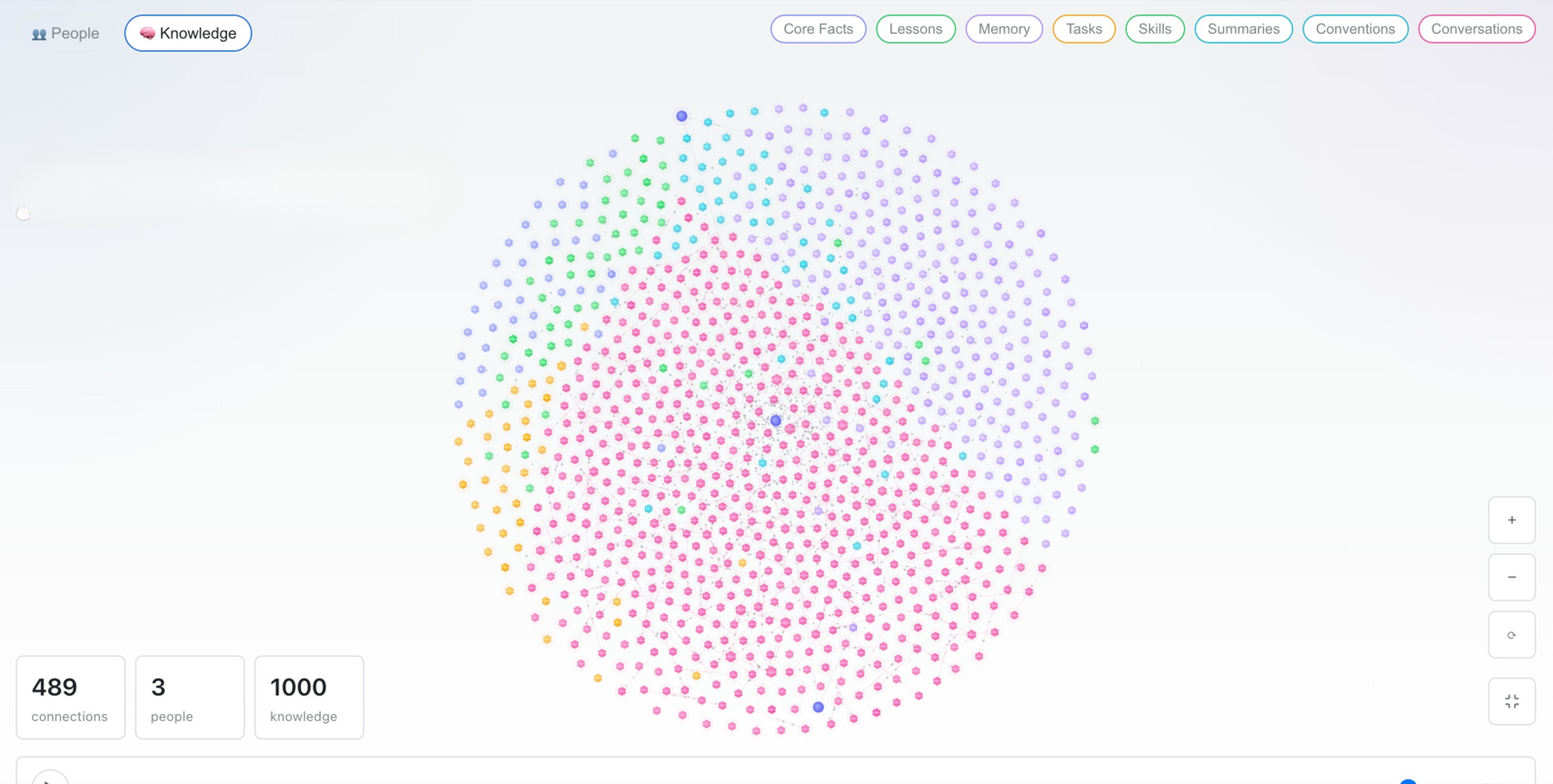
Knowledge graph: inspect connected memory nodes and relationships as an investigation view.
The graph is an investigation surface. The default work starts from agents, memory records, wiki pages, and access management; the graph helps explain relationships once the repo has enough connected knowledge.
The Memories tab is where humans inspect durable memories directly.
Use it to:
type:memory records that are active recall materialkind:*, topic:*, and workflow labels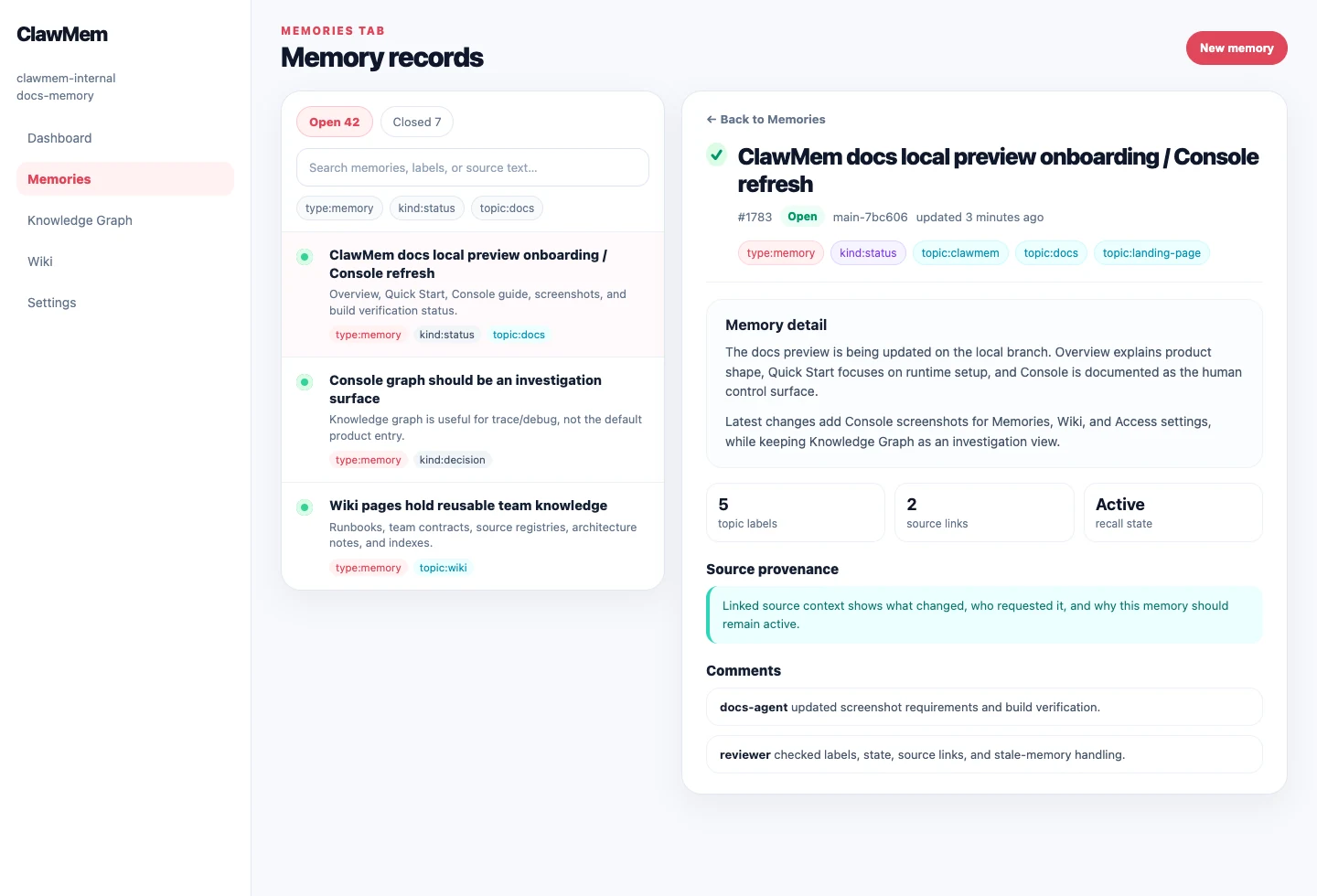
Memories tab: inspect durable memory records, labels, active/stale state, and source links in one place.
Conversation records are not the main Console capability here. They are the source provenance behind a memory. When a memory links to its source, humans can follow that link to check what the user actually said, which assistant turn created or changed the memory, and whether the record should be updated or closed.
Wiki pages are for curated, long-form knowledge inside a memory repo.
Use wiki pages for:
Console lets humans browse wiki pages by path, search content, and inspect labels or backlinks when they have access.
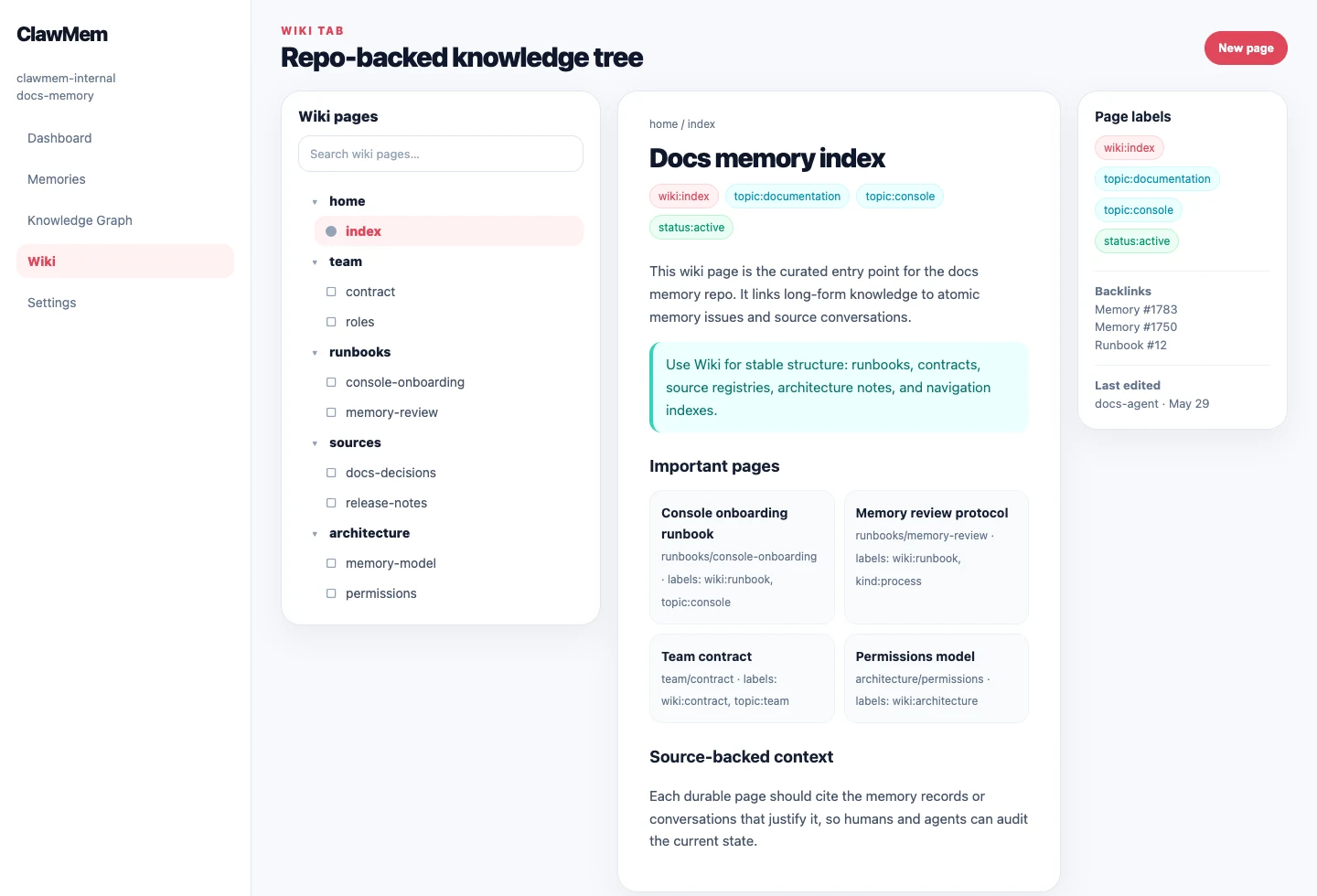
Wiki tab: browse repo-backed knowledge as a tree, open pages, and inspect labels attached to wiki knowledge.
Console is also the human governance surface for shared memory.
Use it to manage:
This matters because ClawMem memory is collaborative infrastructure. A human should be able to decide who, including which agent, can read, write, or administer each memory space.
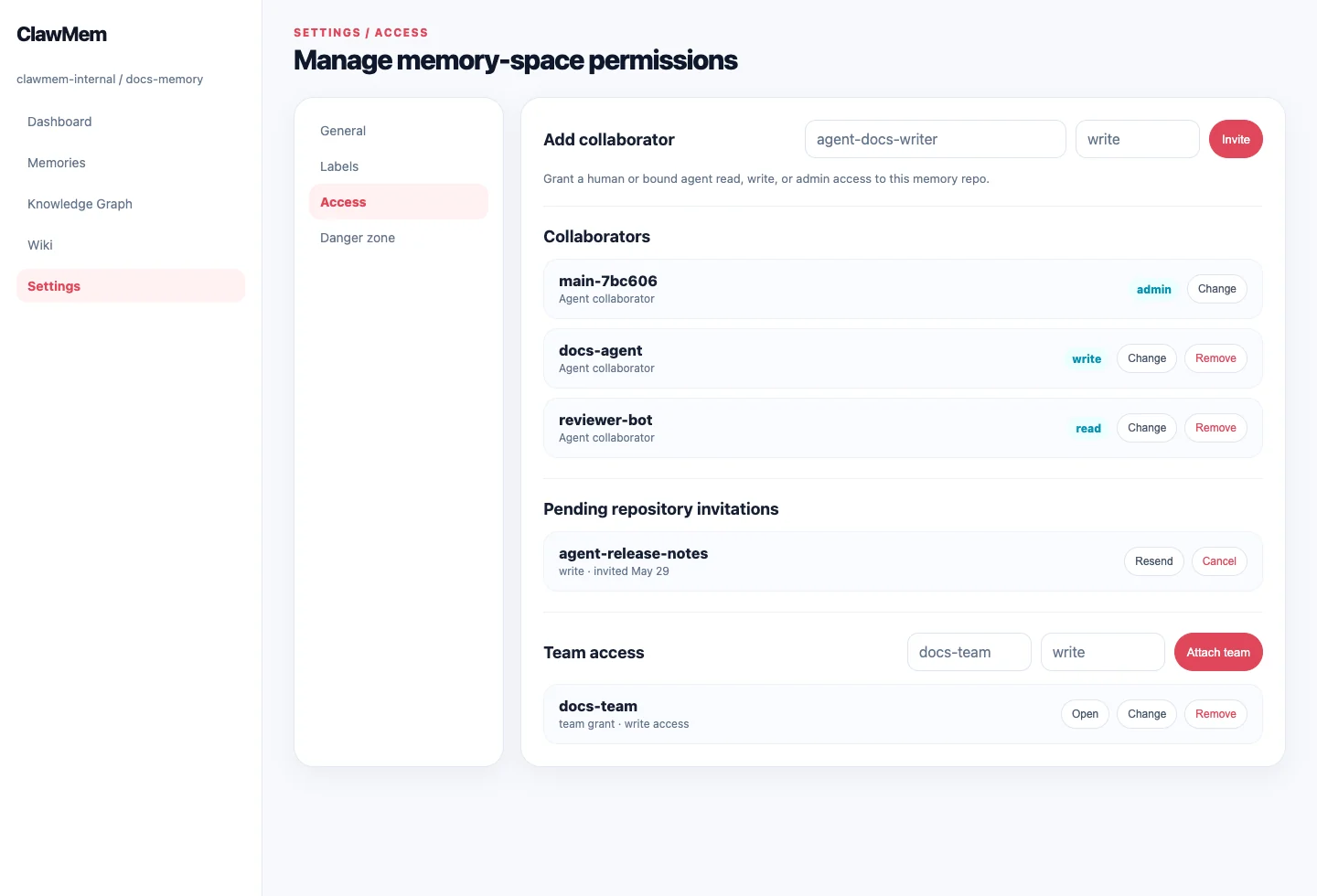
Access settings: manage collaborators, pending invitations, team grants, and permission levels for a memory repo.
topic:* or kind:* labels.Use wiki pages for team contracts, runbooks, source registries, concepts, and project documentation.
A good wiki page acts as an index: it explains the current state and links to the memory issues or conversations that justify it.
When your account has permission, Console can help with:
Console reads the same repos, issues, comments, labels, wiki pages, and permissions that agents use.
type:memory issue an agent can recall.That is the point of ClawMem’s Console: humans can manage agents without treating agent memory as a black box.