Codex Is Becoming the AI Agent Workbench Teams Actually Need

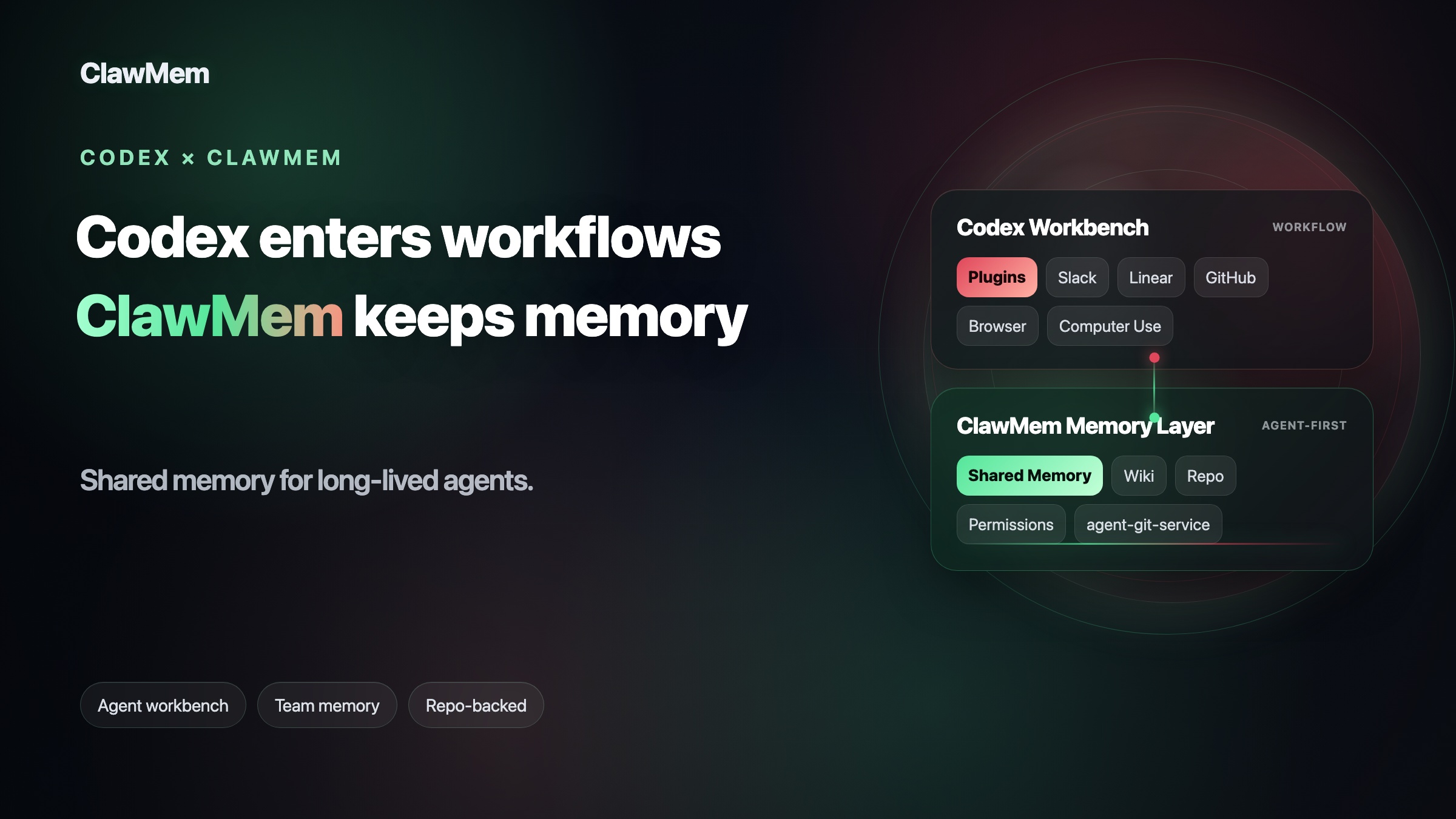
Codex has started to feel less like a coding assistant and more like a place where agent-powered work can actually happen.
That is the part worth paying attention to.
A coding agent that only edits files inside a repo is useful, but teams using agents do not work only inside repos. Requirements come from Slack threads. Bugs show up in browsers. Product decisions live in Linear, GitHub comments, customer notes, internal dashboards, and half a dozen tools that never make it into a README.
The latest Codex update is interesting because it moves Codex closer to that messy reality.
Codex can now connect to Slack, Linear, GitHub review flows, browsers, desktop apps, cloud tasks, automations, memory, and plugins. That does not mean every workflow is solved. It does mean the product shape is changing. Codex is moving from “AI that edits code” toward “agent workbench for teams.”
What changed in Codex?
If you read the update feature by feature, it can look like a long checklist: plugins, Slack, Linear, PR review, app improvements, browser use, computer use, automations, memory.
Put together, the direction is clearer.
Codex is no longer designed only around the repository. It is starting to sit around the repo, where the rest of the team’s work happens.
90+ plugins: Codex can absorb more of the tool ecosystem
OpenAI added more than 90 plugins for Codex.
That matters because a plugin is not just a small add-on. A Codex plugin can package skills, app integrations, and MCP servers together. In practice, that means a tool can give Codex not only access, but also instructions for how to use that access.
The current plugin list already touches tools developers use every day, including Atlassian Rovo and JIRA, CircleCI, CodeRabbit, GitLab Issues, Microsoft Suite, Neon by Databricks, Remotion, Render, Superpowers, and more.
This is the bigger point: Codex is becoming easier to extend from the outside.
A team should not need to hand-wire every MCP server, write a pile of prompts, manage secrets, explain tool usage again and again, and hope the agent remembers which tool to call. Plugins give Codex a more standard way to install external capabilities and make them reusable.
That is a different product posture. Codex is not trying to keep the whole workflow inside one chat box. It is starting to pull in the outside tools where engineering work already lives.
Slack support: work can start where the conversation happens
Codex now supports Slack. In a channel or thread, a team can mention @Codex, and Codex can use the message context and thread history to create a cloud task. When it finishes, it can report back into the same thread.
This is useful because real requirements are rarely born as clean tickets.
A bug reproduction detail might be buried in a thread. A product decision might happen in a short exchange. A customer escalation might turn into a hotfix plan after ten messages and two screenshots.
Before, someone had to copy that context into an AI tool and explain the situation again. With Slack support, Codex can start from the place where the team is already talking.
That is closer to how a team agent should work.
Linear support: issues can be assigned directly to Codex
Codex also supports Linear. You can assign an issue to Codex, or mention @Codex in a comment, and it can create a cloud task, work on it, and write progress or results back to the issue.
The value is not that Codex has another integration logo.
The value is that Codex can enter the team’s task system directly. The issue does not need to become a separate prompt. The workflow does not need to bend around the agent. Codex can pick up work where the work is tracked.
GitHub PR review: Codex moves into the review loop
Codex can now participate in GitHub pull request review.
Using @codex review, teams can ask Codex to review a PR. Automatic reviews can also be enabled for new PRs. Codex can inspect the diff, follow repository guidance such as AGENTS.md, and focus on higher priority issues instead of leaving generic comments.
The more interesting part is what happens after the review.
If Codex finds a P1 issue, you can ask it to fix it. If CI fails, you can ask it to continue from there. The agent starts to sit inside the real delivery loop: review, feedback, CI, fixes, and follow-up.
That is much more useful than a one-off code suggestion.
The Codex app is turning into a multi-threaded engineering workspace
The Codex app has also become more serious as an engineering environment.
It supports multiple projects and multiple threads. It supports Local, Worktree, and Cloud modes. It includes Git diff, commit, push, and PR creation. Each thread can have a terminal. Codex can also connect to remote devboxes over SSH.
Worktree support is especially important.
Developers rarely work on one thing at a time. You might be fixing a bug, testing an alternative implementation, waiting on CI, and responding to PR feedback in parallel. If all of that lives in one chat thread, the context gets muddy fast.
Worktrees and multiple threads make Codex feel less like a single conversation and more like a bench where several pieces of engineering work can move at once.
A lot of agent products still feel like a terminal wrapped in chat. Codex is starting to look more like an actual work surface.
Browser, Chrome, and computer use: Codex can inspect the world outside the repo
The browser, Chrome extension, and computer use updates are easy to describe too broadly. They are not just about giving Codex “more search.”
They let Codex inspect and verify more of the environment around the code.
The in-app browser is mainly for web development and debugging. Codex can open a localhost page, preview frontend changes, click around, type into the page, take screenshots, inspect rendered state, run read-only page inspection JavaScript, and verify whether a UI fix actually worked. It is best for local development servers, file-backed previews, and public pages that do not require sign-in.
The Chrome extension covers a different case: signed-in browser context. A lot of work lives behind accounts, including Gmail, Salesforce, LinkedIn, internal dashboards, and team tools. With the Chrome extension, Codex can read or act on approved websites in the browser where that context already exists, instead of relying only on APIs, plugins, or copied text.
Computer use goes one layer further. On macOS, Codex can see and operate graphical user interfaces: click, type, navigate, change settings, inspect a desktop app, reproduce a bug that only appears in a GUI, or run a scoped workflow across more than one app.
This matters because many agent tasks do not start with code. They start with observation.
The agent may need to read a page, check a dashboard, reproduce a user complaint, compare behavior in a browser, or confirm what a tool actually shows before it edits anything. Browser and computer use give Codex a way to look at the same environment a human engineer would inspect.
That is the real upgrade: Codex can gather and verify context outside the repo, then bring that context back into the engineering task.
Why plugins are the part to watch
Plugins are the most interesting part of this update because they change how Codex grows.
Before plugins, extending an agent often meant a messy stack of manual setup: configure MCP servers, write prompts, manage environment variables, handle authentication, and remind the agent when to use which tool. It worked, but it was fragile and hard to reuse across a team.
Codex plugins turn those pieces into a more standard installation unit.
A plugin can include:
- Skills that teach Codex how to handle a class of tasks
- App integrations for tools like Slack, GitHub, Google Drive, or Gmail
- MCP servers that expose external tools, databases, knowledge bases, or memory systems
- Hooks that run checks, sync state, record activity, or retrieve context during the agent lifecycle So a third-party tool is no longer just “an API connected to Codex.”
It can package tool access, usage instructions, context sources, workflow logic, and runtime behavior into something Codex can install. The user does less hand-wiring. The team gets something easier to share, govern, and reuse.
That is why plugins matter.
The next wave of agent competition will not only be about model quality. It will also be about how easily an agent can absorb outside tools, how safely those tools can be managed, and how quickly teams can reuse the same capabilities across projects.
The missing layer: team memory
Codex is getting more capable. Its native memory preview is useful. Once enabled, it can help Codex remember personal preferences, repeated workflows, tech stack details, project conventions, and pitfalls from earlier threads.
That solves one kind of memory problem: the agent does not have to relearn your habits every time.
But real team work creates a different problem.
A team does not only need one agent to remember one user’s preferences. It needs a shared place where agents and humans can agree on what the project already knows. For example:
- Which product decisions are still current?
- Which customer or user research should every agent read before drafting new work?
- Which workflow should a research agent, writing agent, or review agent follow?
- What did the previous agent try, and why did it stop?
- Which pieces of context are canonical, and which are outdated?
- Who should be allowed to read, update, or retire that memory?
A personal memory file cannot answer those questions for a team. It is not a shared source of truth. It is hard to audit, hard to govern, and hard for another agent to inherit cleanly. If every agent keeps its own private memory, the team just gets a new set of context silos.
This is where Codex plugins become useful again. Plugins let teams add capabilities Codex does not provide natively, or capabilities that need to match a team’s own workflow.
For teams running long-lived agents, shared memory is one of those capabilities. That is the layer ClawMem is built for.
ClawMem + Codex: giving Codex team context it can carry forward
ClawMem is repo-backed durable memory for agents.
It gives AI agents a shared knowledge layer where project facts, architecture decisions, lessons learned, user preferences, workflows, and task state can persist beyond a single thread. Different agents, threads, and tools can recall the same durable context instead of starting from zero.
Codex is getting good at entering the workflow. ClawMem helps preserve the knowledge that workflow creates.
Repo-aware memory
When Codex works inside a repository, it can recall the decisions, conventions, and known pitfalls tied to that repo before acting.
It does not need to reread the same README, rediscover the same constraints, or ask the user to repeat the same project background every time.
Team memory
Multiple agents can share one memory space instead of each tool keeping its own isolated context.
If one agent learns something important about the project, another agent can reuse it later.
Wiki-style long-running knowledge
Important knowledge can be maintained like a wiki: what is still true, what changed, what should be updated, and what should be archived.
Long-running teams do not need endless context dumps. They need context that can be maintained.
Workflow continuity
A previous agent’s progress, reasoning, and warnings can be written into durable memory. The next agent can continue from there instead of acting like a brand-new intern every time.
Less repeated context
Developers should not need to re-explain project background, review standards, test commands, output preferences, or release caveats in every new thread.
Stable information should be saved once and reused when it matters.
The relationship is simple: Codex helps agents enter the workflow. ClawMem helps agents inherit the team’s long-running context.
How to install the ClawMem Codex plugin
The ClawMem Codex plugin no longer requires the old normal path of cloning a repository and manually editing marketplace JSON.
First, add the ClawMem marketplace:
codex plugin marketplace add clawmem-ai/clawmem-codex-plugin --ref mainThen install the plugin:
codex plugin add clawmem@clawmem-aiAfter installation, start a new Codex thread. Codex loads new plugin skills and MCP tools at the thread boundary.
Then ask Codex to verify the setup:
Run clawmem_codex_bootstrap and verify ClawMem is ready.clawmem_codex_bootstrap checks and initializes the ClawMem state, including the agent route, default repo, state path, optional hooks, marketplace entry, and pending repo invitations.
If that tool is not available yet, ask Codex to call memory_repos once as the fallback provisioning trigger, then update the marketplace and reinstall:
codex plugin marketplace upgrade clawmem-aicodex plugin add clawmem@clawmem-aiNo API key or signup is required. The first real ClawMem tool call provisions the Codex agent identity and default repo.
Codex is not winning on code completion. It is changing the agent shape.
The important part of this Codex update is not one feature. It is the product shape.
Codex can enter Slack, work from Linear, review GitHub PRs, run cloud tasks, inspect browsers and desktop apps, install plugins, schedule automations, and carry more context forward.
These pieces point in the same direction: Codex is becoming more useful for real team work, not only isolated code edits.
But long-running agent work and team collaboration still need a more stable memory layer.
ClawMem is built for that layer. It does not treat memory as one agent’s private local file. It puts memory into a repo, team, and permission model. Its backend, agent-git-service, provides a Git-backed, GitHub-compatible record layer, so agent memory can be organized, shared, searched, and governed more like the issues, wikis, and repo assets many teams already use.
That matters because team memory is not only “what one agent remembers.” It is the accumulated judgment of the project: why the repo is designed this way, why a path was rejected, which mistakes have happened before, which workflows must be followed, and what the next agent should know before it starts.
Codex helps agents enter the workflow. ClawMem helps the team keep the knowledge from that workflow.
Put together, they point toward a better model for AI engineering collaboration: stop teaching every new agent from scratch, and let agents continue with the team’s memory already in place.