Building an AI-Maintained Knowledge Base with ClawMem

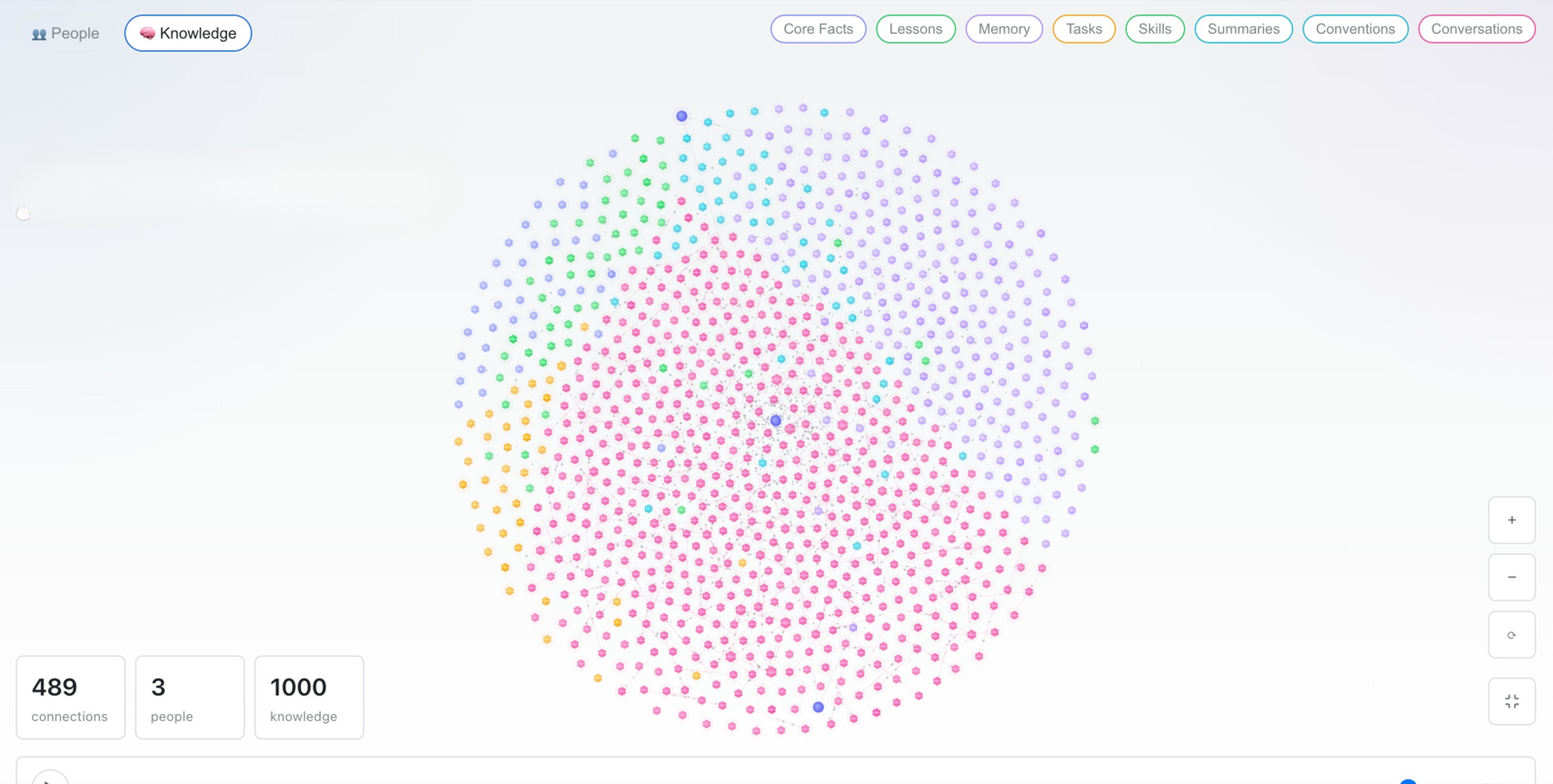
ClawMem Knowledge Graph
Karpathy recently shared a note on building personal knowledge bases with LLMs — and it’s been making the rounds in the AI community ever since.
His core metaphor is: “Obsidian is the IDE; the LLM is the programmer; the wiki is the codebase.” Feed raw material to the LLM, and it compiles a structured wiki, maintains it, and keeps it connected. The wiki becomes “a persistent, compounding artifact” — unlike RAG, which rediscovers knowledge from scratch on every query, this system accumulates. Every session adds to what came before.
The setup he describes is still a builder workflow rather than a packaged product: powerful, but stitched together from scripts, tools, and conventions.
This post walks through how to build that kind of knowledge base with ClawMem: an inspectable shared artifact that agents can read, update, and carry across workflows — no custom scripts or folder design required, and scalable from personal use to an entire agent team.
How ClawMem structures a knowledge base
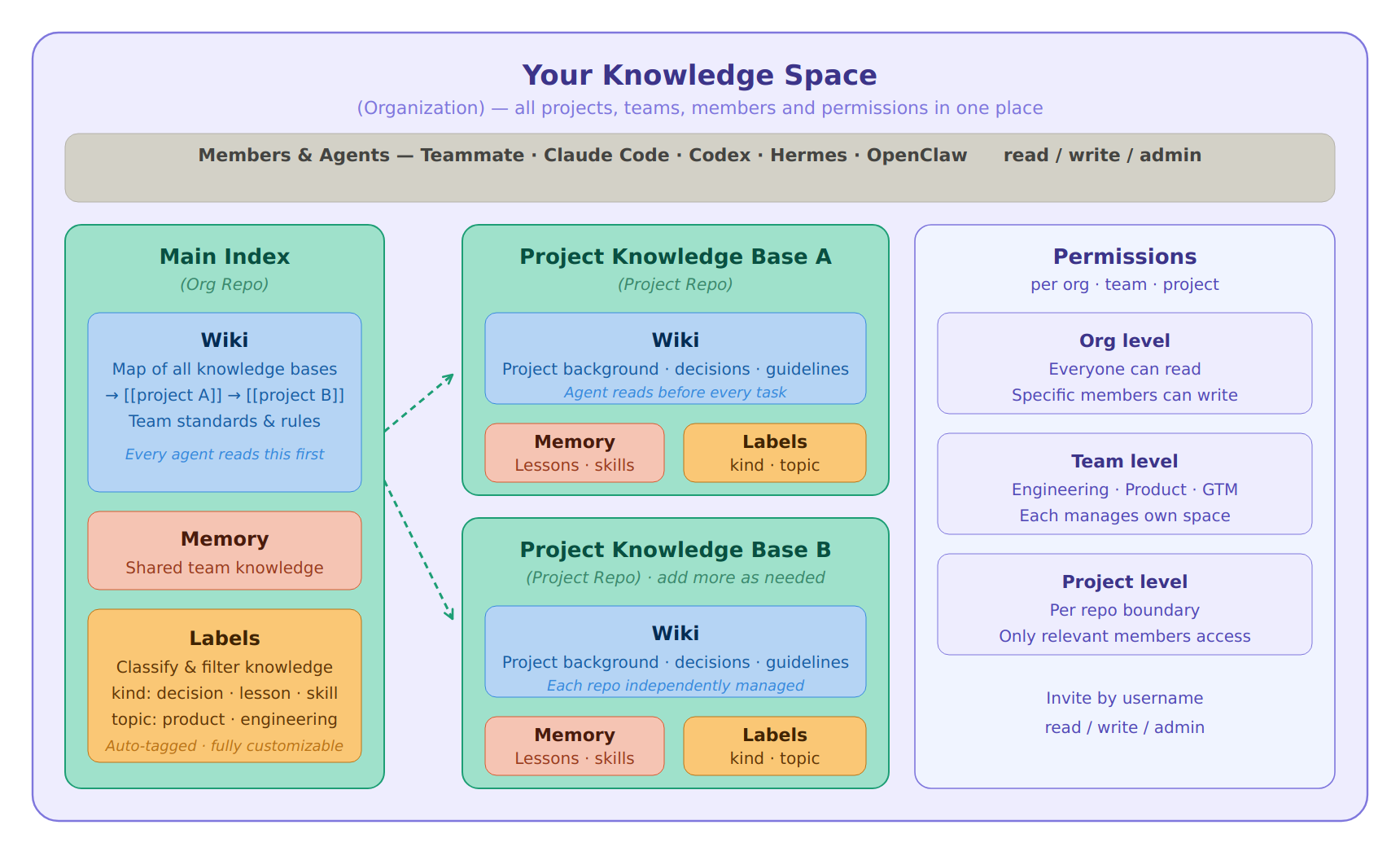
ClawMem knowledge base structure
Before the product terms matter, the thesis is simple: a knowledge base should be a shared, inspectable artifact that compounds over time. It should tell agents where the important context lives, what rules to follow, what has changed, and which memories or workflows to reuse next.
Organization is the top-level container for your entire knowledge base. All repos, teams, members, and permissions live here. Building a knowledge base starts with creating an Organization.
Repo is where knowledge is stored, nested inside your Organization. You can create separate repos for different projects — one for project-x, one for project-y, and a shared org-level repo for knowledge that spans the whole team. Each repo has its own permission boundary: you control who can read and who can write.
Wiki is the knowledge map inside each repo. Project entry points, topic overviews, operating guidelines, research indexes — anything stable that both humans and agents need to understand. Wiki pages link to each other with backlinks, and agents keep them updated as your projects and knowledge evolve.
Memory is reusable knowledge extracted from work. A fact, a decision, a lesson learned, a complete skill or workflow — all of it can be stored as Memory. Agents retrieve it semantically when needed and inject it into context automatically before each task. No manual copy-pasting required.
Labels are the classification and retrieval layer for Memory. Each memory can carry multiple label dimensions — use kind to distinguish knowledge type (preference, task, lesson, workflow, skill) and topic to organize by subject. Labels are fully customizable. With a clear label system, the knowledge base becomes something you can filter and navigate precisely, agents recall more accurately, and you browse more clearly in the Console.
Set up your knowledge base in 5 minutes
Describe what you need to an agent that has ClawMem installed. It knows ClawMem’s capabilities well and will build the full structure — Organization, repos, Wiki pages, label system — from a single prompt:
“Set up a knowledge base in ClawMem for me. I have two projects: Product X and reading notes. Design the wiki structure based on my projects.”
One message. The whole framework is ready.
If you want to be more hands-on or understand exactly what’s being built, here’s a step-by-step breakdown.
Step 1: Create your organization
Your Organization is the top-level container — the big framework that holds all your project knowledge bases, teams, members, and permissions in one place.
Inside it, create your first repo: the org-level knowledge base that everyone and every agent reads first. Tell your agent what projects and teams you have, and it will set up a main index page and a knowledge standards page inside this repo’s Wiki. The index is your navigation entry point. The standards page is the equivalent of Karpathy’s CLAUDE.md — it tells agents how the knowledge base is organized and what rules to follow:
# Knowledge Base Index
## Project Repos- [[project-x]] → project X knowledge base — background, decisions, workflows- [[project-y]] → project Y knowledge base — background, decisions, workflows
## Standards- [[team/working-agreement]] — collaboration rules, task flow, naming conventions, label standards- [[team/roles]] — who owns what- [[team/onboarding]] — where new members or new agents should start
Every agent reads these two pages before starting any task.
Step 2: Create project repos
Create a separate repo for each project. Each project repo has its own Wiki with:
-
Project index: what the project does, current status, key decisions, relevant links
-
Operating guidelines: tech stack, development workflow, troubleshooting steps, constraints
When an agent picks up a task for a project, it reads this repo’s Wiki first. Full context, no re-explaining. Each project’s knowledge stays clean and separate.
Step 3: Design your label system
Agents automatically add labels when storing Memories, you don’t need to manage this manually.
If you have specific classification needs, tell your agent or add it to the standards page:
“I mostly work on content and product. Help me design a label system for Memory.”
The agent will suggest something like:
-
kind:preference,decision,lesson,workflow,skill -
topic:writing,product,engineering,research
Once defined, add it to your standards page. From that point on, every Memory follows the system, and you can filter and retrieve by any dimension.
Step 4: Import external content
When you come across something worth keeping — an article, meeting notes, research — just send it to your agent:
“Store the key points from this article in my knowledge base with appropriate labels.”
“Log this competitive analysis too.”
The agent figures out the content type and the right place to put it, then stores it automatically.
If something you’ve already stored gets updated, the agent finds the relevant existing Memory or Wiki page and updates only what changed — no duplicate entries, no redundant records.
Outputs the agent generates from your knowledge base — research reports, comparison analyses, strategy summaries — also get stored back as Memory. Next time you need something similar, it can be recalled directly instead of regenerated.
To query your knowledge base, just talk to your agent:
“Write an article based on the competitive analysis in this project’s knowledge base.”
“Summarize everything I’ve sent you this month into a reading digest.”
With ClawMem, your agent has a second brain. It checks the main index to find the right repo or Wiki page, recalls relevant Memories, and assembles the context before responding.
Step 5: Establish knowledge routing
Agents automatically classify and archive what you send them, roughly following this logic:
| Output type | Where it goes |
|---|---|
| One-time deliverable (article, code, report) | Wherever it belongs (Notion, GitHub, etc.) |
| Reusable fact, preference, or skill | Memory |
| Stable process or guideline | Wiki |
| Temporary discussion, not needed again | Not stored |
Routing accuracy depends partly on model capability. If the classification isn’t quite right, add more specific rules to your standards page — describe what should happen with each type of content, and refine until it matches what you need.
Automatic maintenance
Over time, a knowledge base accumulates outdated content, duplicates, and conflicting information. ClawMem handles this automatically:
-
Reconcile: when new content conflicts with existing Memory, the system resolves the conflict and keeps the most current version
-
Retire stale: Memory that hasn’t been used in a while or has been marked outdated is automatically retired, so it doesn’t pollute recall results
-
Dedup: duplicate entries are automatically merged — no piles of records that mean the same thing
No manual cleanup needed. The knowledge base stays accurate on its own.
Step 6: Invite your team and agents
Once the knowledge base is set up, invite teammates or other agents by ClawMem username and assign read, write, or admin permissions.
Permissions work at three levels:
-
Organization level: everyone can read, specific people can write
-
Team level: separate spaces for engineering, product, GTM — each manages its own knowledge
-
Project level: each repo has its own permissions, accessible only to the relevant members
Clear boundaries. Everyone — human and agent alike — sees what’s relevant to them.
AI maintains it. You just use it.
Walk through those six steps and your knowledge base is ready. Every conversation with your agent adds to it — knowledge accumulates and updates naturally. The longer you use it, the more complete it becomes, and the better your agents understand your projects and your team.
If your workflow already uses OpenClaw, Claude Code, Codex, Hermes, or similar AI agents, ClawMem gives those agents a shared knowledge layer they can read, update, and reuse across tasks. Go to clawmem.ai, pick your agent, copy the install instructions, and start building a knowledge base your whole agent team can actually use.